Configuration
Configuration enables you to package and reuse the current settings of your solution, such as: Register Definition, accounts, security, Register group filters, Global Drivers, Cube Drivers, Lookup Drivers, Formulas and Plan criteria. Using a Configuration can be helpful when switching from a development environment to a production environment, allowing for faster implementation and less manual setup.
The naming of the configurations is based on the specific planning use case:
-
PLNA1 - First instance and schema Fixed Term Planning
-
PLNB1 - First instance and schema of Workforce Planning
-
PLNC1 - First instance and schema of Duration Based Planning
IMPORTANT: The Audit Log, Register and Plan data cannot be exported with a configuration file.
NOTE: When you import a configuration, Cube Driver and Lookup Driver values won't display in the preview table until you add Register data. Your Cube Driver or Lookup Driver is trying to compare values that are in the Register against values that are in a Cube or Lookup table so data needs to exist in the Register for that comparison to happen.
To export a configuration, follow these instructions:
-
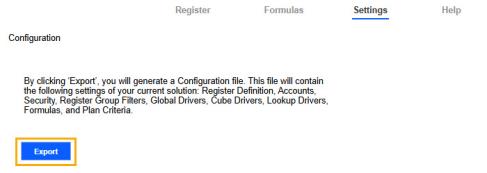
Click the Export button.
-
In the File Explorer, select the folder location to store the configuration file, and click the Select Folder button.
NOTE: A placeholder file name is given to the configuration file in the following format: Solution/Type Code/Instance_Configuration_Version Number_Timestamp. For example, PLNB6_Configuration_v1_20250929-1115.json.


